
Process
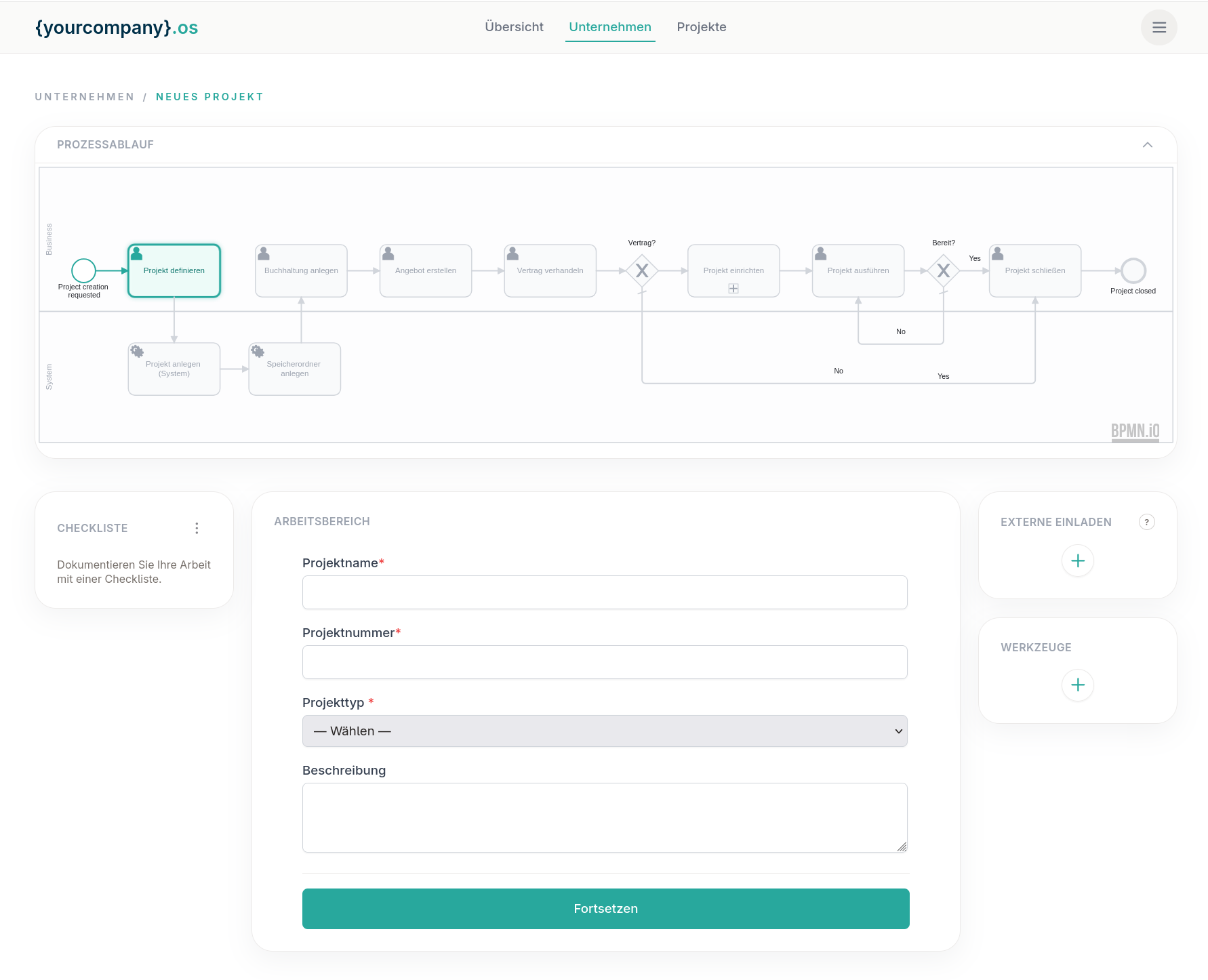
Create Project: One Stable Anchor Across Your Tools
Creating a project still means jumping between tools: a name here, the ERP there, then setup and delivery elsewhere. Automations help inside one stack, but the project itself rarely becomes a shared, lasting record.
Steps
-
Give the project a name
Start with one shared identity. The name is the first fact every system and every phase will refer to, not a label that lives only in someone's inbox.
-
Define it in your ERP and linked tools
Register the project where finance and operations need it, for example in SAP or another large ERP, and in the other systems that must know it exists, from one process instead of copy-paste.
-
Run setup and execution with subprocesses
Setup and delivery are phases with their own subprocesses across tools. {yourcompany}os keeps them on one process spine instead of a one-shot script that ends when the flow finishes.
-
Close with a lasting project record
Closure wraps the work; it does not dissolve the project. The record stays usable as the stable anchor across every stage you already ran.
Power Automate vs n8n vs {yourcompany}os
|
Power Automate
|
n8n
|
{yourcompany}os
|
|
|---|---|---|---|
| Ecosystem | Strong inside Microsoft | Growing | Many tools |
| Project as entity | Flow run | Workflow run | Stable project anchor across stages |
| ERP | Possible via connectors | Possible via nodes | Part of create-project (e.g. SAP) |
| Phases and subprocesses | Flows and child flows | Workflows you maintain | Setup |
| Security | Microsoft cloud defaults | Self-host | CH hosting |
| After go-live | Great for MS automations | Fragile when the process grows | Project stays the spine; tools stay |