
Tool
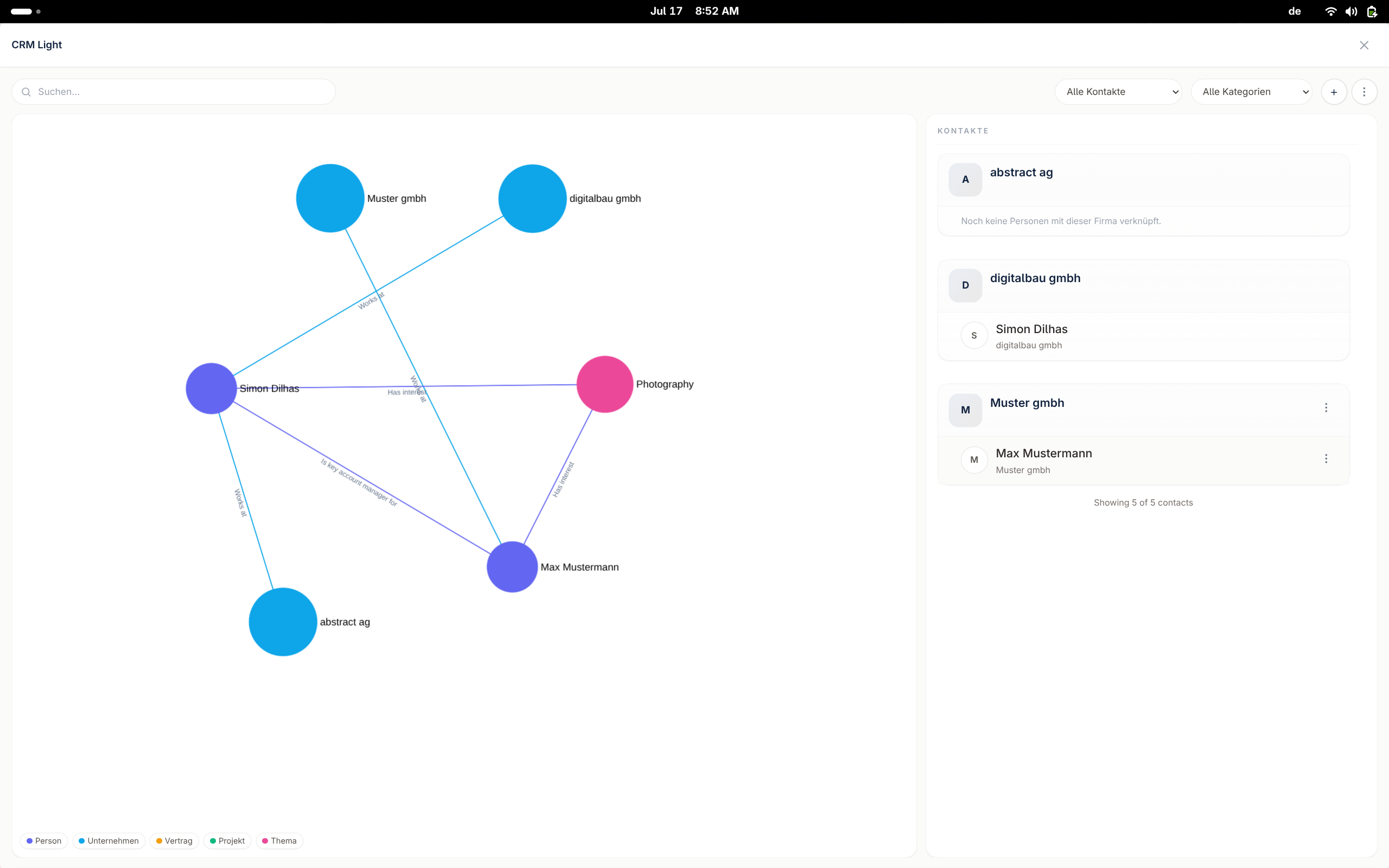
CRM Light: A Lightweight CRM Built for Relationships
Most CRMs are heavy and force you to change how you work. Their data structure is rigid, and realistically you only use a fraction of their capability, but you pay for all of it.
Steps
-
Import your existing contacts
Bring in contacts from your existing CRM, a spreadsheet, or your email, without re-entering a single record.
-
Extract relationships from notes, or add them manually
{yourcompany}os reads your notes and existing data to surface who is connected to whom, or you add the relationship yourself in seconds.
-
Explore, filter, and start processes based on what you find
Filter by relationship, role, or activity, then trigger the right workflow directly from the result, no separate tool, no copy-paste.
CRM Light vs HubSpot vs Odoo
|
HubSpot
|
Odoo
|
CRM Light
|
|
|---|---|---|---|
| Data structure | Rigid, many required fields | Highly customizable, but complex | Flexible, relationship-first |
| Setup time | Weeks | Weeks to months, often a consultant | Minutes, import and go |
| What you actually use | A fraction of the suite, pay for all | A fraction of the modules, pay for the ERP | Only what matters, the relationship |
| Pricing model | Per seat, tiered add-ons | Per app, per module | Simple, workload-based |
| Focus | Sales pipeline and marketing suite | ERP-first, CRM is a module | Relationships and context |